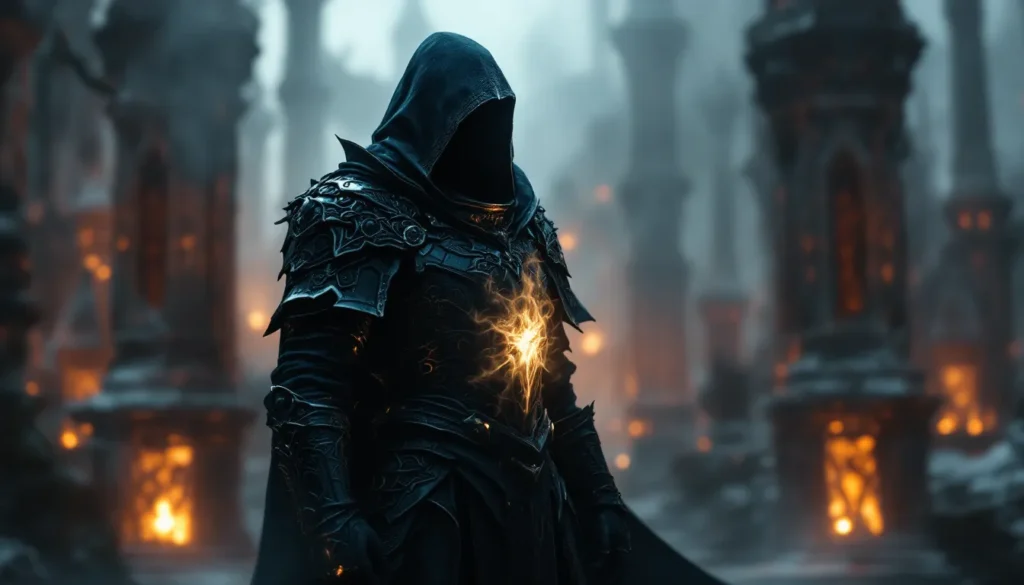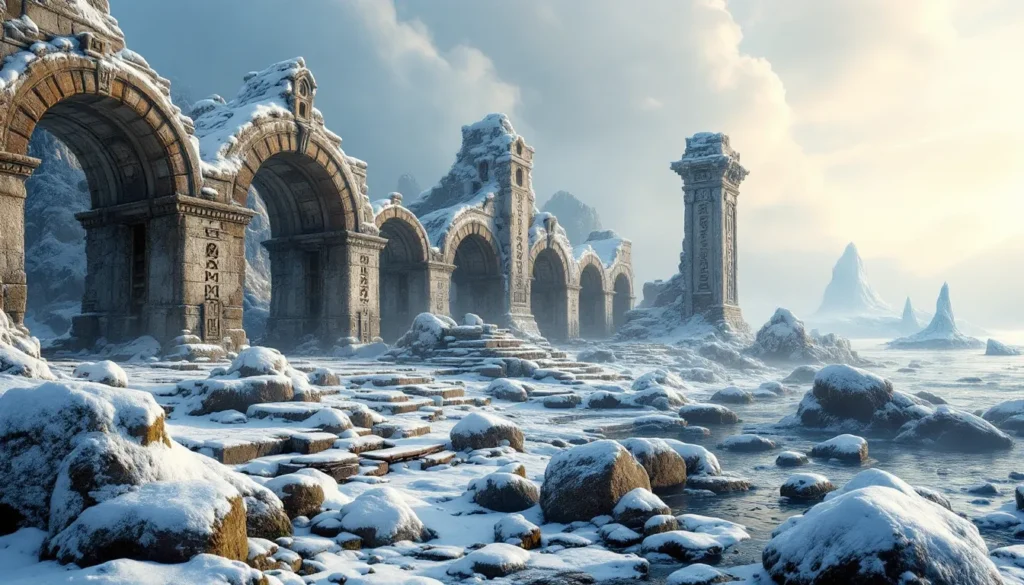
Skyrim has been receiving mod support for over a decade, and the modding community has transformed the game into something nearly unrecognizable from its 2011 release. Among the hundreds of modpacks available, Skyrim Ultima stands out as one of the most ambitious total conversion projects designed to reimagine the entire Tamriel experience. It’s not just a collection of texture replacements or balance tweaks, it’s a complete reimagining of combat, visuals, immersion, and content.
For players tired of vanilla Skyrim or those who’ve already burned through Enderal and other massive overhauls, Ultima offers a fresh lens on a familiar world. This guide breaks down everything a modern Dragonborn needs to know: what Ultima actually is, how to install it without bricking your game, performance optimization tips, and how to get the most out of its overhauled systems. Whether you’re a first-time modder or a veteran with 500+ mods in your load order, this is your roadmap to experiencing Skyrim Ultima in 2026.
Table of Contents
ToggleKey Takeaways
- Skyrim Ultima is a comprehensive total conversion modpack that reimagines combat, visuals, and immersion by bundling dozens of high-quality mods into a cohesive, curated experience focused on challenge, beauty, and world realism.
- The modpack demands significant hardware; aim for at least an RTX 3070 and 32GB RAM for 1440p performance, and optimize ENB settings, shadow resolution, and LOD generation to maximize frame rates on your specific setup.
- Installation requires Mod Organizer 2, SKSE64, LOOT, xEdit, and ENB binaries, followed by 2-6 hours of automated setup through Wabbajack, plus MCM configuration and LOD generation for stability and proper distant terrain rendering.
- Combat in Skyrim Ultima is fundamentally redesigned with dodges, blocks, and stamina management becoming essential, making preparation, positioning, and tactical adaptation more critical than button-mashing through encounters.
- Skyrim Ultima strikes a balance between visual spectacle and gameplay depth, offering more accessibility than hardcore packs like Requiem while maintaining deeper challenge and content than vanilla-plus alternatives like Phoenix Flavour.
- The modpack’s difficulty eases around level 25-30, but early survival requires avoiding dragons, using followers strategically, pre-buffing before fights, and manually saving frequently to overcome the brutal first 20 levels.
What Is Skyrim Ultima?
Skyrim Ultima is a comprehensive modpack and total overhaul project that reshapes nearly every aspect of The Elder Scrolls V: Skyrim. Unlike standalone mods that tweak specific mechanics, Ultima bundles dozens of high-quality mods into a curated experience focused on visual fidelity, immersive gameplay, and expanded content. Think of it as a director’s cut of Skyrim, one that prioritizes realism, difficulty, and aesthetic cohesion.
The modpack is built on Skyrim Special Edition (SE) and leverages the Script Extender (SKSE64) alongside tools like ENB and DynDOLOD to push the Creation Engine to its limits. It’s available primarily through mod managers like Mod Organizer 2 or Vortex, with installation guides hosted on community hubs and modding forums.
Understanding the Ultima Modding Philosophy
Ultima’s design philosophy revolves around three pillars: immersion, challenge, and beauty. The creators wanted to build a Skyrim that feels less like an action RPG and more like a living, breathing world with consequences.
Immersion comes from environmental overhauls, weather systems, survival mechanics, and AI improvements. NPCs follow realistic schedules, wildlife behaves more naturally, and the world reacts dynamically to player choices. Challenge is embedded through combat overhauls that punish button-mashing and reward preparation, potions, positioning, and crowd control matter more than ever. Beauty is achieved through next-gen texture packs, lighting mods, and ENB presets that make Skyrim look closer to a 2025 release than a 13-year-old game.
This philosophy means Ultima isn’t for everyone. If you prefer power fantasy gameplay where you can steamroll enemies by level 20, this isn’t the modpack for you. It’s designed for players who want to survive Skyrim, not conquer it effortlessly.
How Skyrim Ultima Differs from Other Modpacks
Skyrim Ultima occupies a unique space in the modding ecosystem. While packs like Wabbajack’s Living Skyrim focus on maximum content bloat and Requiem emphasizes hardcore RPG systems, Ultima strikes a balance between visual spectacle and gameplay depth.
Compared to Wildlander (formerly Ultimate Skyrim), Ultima is less punishing and more accessible to intermediate players. It doesn’t lock you into a survival-only experience but offers toggles for features like frostfall mechanics and hunger systems. Against Phoenix Flavour, Ultima leans heavier into graphical enhancements and includes more quest mods and new lands, whereas Phoenix prioritizes stability and vanilla-plus design.
The skyrim ultima mod also integrates newer modding tools released in 2024-2025, including Community Shaders and Seasons of Skyrim, which weren’t part of earlier overhaul packs. This makes it one of the most visually advanced modpacks available in 2026, though it demands beefy hardware in return.
Core Features and Enhancements in Skyrim Ultima
Visual Overhaul and Graphics Enhancements
Ultima’s visual upgrades are immediately striking. The modpack bundles 4K and 2K texture replacements for architecture, landscapes, and character models, alongside Noble Skyrim, Skyland AIO, and Majestic Mountains. ENB presets like Rudy ENB or Silent Horizons add cinematic lighting, depth of field, and ambient occlusion that make every sunrise over Whiterun feel like a desktop wallpaper.
Weather mods such as Cathedral Weathers and Storm Lightning introduce dynamic storms, fog systems, and region-specific climates. The Rift feels humid and golden, while Winterhold is a blinding snowscape. DynDOLOD 3.0 ensures distant objects and terrain render with high fidelity, eliminating the blurry, low-poly horizons of vanilla Skyrim.
Character visuals receive equal attention. CBBE or UNP body replacers, High Poly Head, and Expressive Facial Animations make NPCs look less like mannequins and more like actual people. Even minor NPCs in remote villages have unique faces and animations.
Gameplay Mechanics and Combat Improvements
Combat in Ultima is a completely different beast. The pack integrates Engarde, Precision, and Valhalla Combat to overhaul hit detection, attack animations, and enemy AI. Enemies dodge, block, and punish overcommitment. Timed blocks and parries become essential, and stamina management matters in every fight.
Magic gets a serious buff through Mysticism and Apocalypse, which add over 200 new spells ranging from utility to destruction. Spellcasting builds are finally viable without feeling underpowered compared to stealth archers. Archery itself is overhauled by Archery Gameplay Overhaul (AGO), which adds arrow physics, better bow animations, and mounted archery improvements.
Progression systems are rebalanced with Experience and Static Skill Leveling, which decouple XP from skill spam and make leveling feel more intentional. You can’t just spam Muffle to max Illusion, you need to actually use skills in meaningful scenarios. This ties into the overall difficulty philosophy: growth is earned, not cheesed.
Expanded Content and Quest Additions
Ultima doesn’t just polish existing content, it adds hours of new material. Quest mods like Beyond Skyrim: Bruma, Falskaar, Wyrmstooth, and Vigilant are included, each offering 10-20 hours of fully voiced storylines. Bruma, in particular, is a preview of the ambitious Beyond Skyrim project and adds an entirely new province to explore.
Smaller quest mods like The Forgotten City (now a standalone game, but still a legendary Skyrim mod) and Clockwork deliver tightly written narratives with branching outcomes. Ultima also integrates follower mods such as Inigo and Lucien, who have thousands of lines of reactive dialogue and dynamic interactions with each other and the player.
Exploration is enhanced with Legacy of the Dragonborn, which turns the game into a completionist’s dream by adding a massive museum in Solitude where you can display every unique item, artifact, and trophy. Players seeking more quests in their playthrough will find Ultima’s content additions extend the base game’s runtime by hundreds of hours.
System Requirements and Performance Optimization
Minimum and Recommended PC Specs
Skyrim Ultima is not a lightweight modpack. If you’re running a budget rig, expect compromises. Here’s a realistic breakdown:
Minimum Specs (1080p, 30-40 FPS, Medium-High settings):
- CPU: Intel i5-9400F or AMD Ryzen 5 2600
- GPU: NVIDIA GTX 1660 Super or AMD RX 5600 XT (6GB VRAM)
- RAM: 16GB DDR4
- Storage: 100GB SSD (SATA acceptable, NVMe preferred)
- OS: Windows 10 64-bit
Recommended Specs (1440p, 50-60 FPS, High-Ultra settings):
- CPU: Intel i7-11700K or AMD Ryzen 7 5800X
- GPU: NVIDIA RTX 3070 or AMD RX 6800 (8GB+ VRAM)
- RAM: 32GB DDR4
- Storage: 150GB NVMe SSD
- OS: Windows 11 64-bit
Enthusiast Specs (4K, 60+ FPS, Ultra settings with ENB):
- CPU: Intel i9-12900K or AMD Ryzen 9 5950X
- GPU: NVIDIA RTX 4080 or AMD RX 7900 XTX (12GB+ VRAM)
- RAM: 32GB+ DDR5
- Storage: 200GB NVMe Gen 4 SSD
VRAM is the biggest bottleneck. 4K textures and ENB can easily consume 10GB+ during gameplay. If you’re on older hardware, consider the 2K texture variant of Ultima or disable ENB entirely for a 20-30 FPS boost.
Tweaking Settings for Optimal Frame Rates
Performance tuning is essential. Here’s how to squeeze extra frames without sacrificing too much visual quality:
- Disable or Reduce ENB Effects: ENB is gorgeous but expensive. Disable complex shaders like SSAO and SSR in the ENB menu (Shift+Enter in-game) for a 15-20 FPS gain.
- Adjust DynDOLOD Settings: Regenerate LODs at Medium or Low if distant terrain is tanking performance. The performance guide included with Ultima walks through this process.
- Lower Shadow Resolution: Set
iShadowMapResolutionin SkyrimPrefs.ini to 2048 instead of 4096. Shadows are a huge performance drain and the difference is minimal during gameplay. - Cap Frame Rate: Use RivaTuner or NVIDIA Inspector to cap FPS at 60. Skyrim’s physics engine breaks above 60 FPS (objects fly off tables, NPCs ragdoll randomly), and capping also reduces GPU strain.
- Grass and Flora Tweaks: Mods like Cathedral Grass are optimized but still heavy. Reduce grass density in the mod’s MCM menu by 10-20% for immediate FPS gains.
- Use Performance-Focused Texture Packs: Swap out 4K textures for 2K equivalents using tools like Cathedral Asset Optimizer. The visual difference is negligible on 1080p or 1440p displays.
If you’re still struggling, communities like Nexus Mods host performance-focused variants and optimization guides tailored to specific GPU generations.
Step-by-Step Installation Guide
Preparing Your Skyrim Installation
Before diving into Ultima, ensure your Skyrim installation is clean and up to date.
- Verify Game Files: Launch Steam, right-click Skyrim Special Edition, select Properties > Local Files > Verify Integrity. Fix any corrupted files.
- Update to Latest Version: As of March 2026, Skyrim SE is on version 1.6.1170 (Anniversary Edition engine). Ultima is designed for this version, so don’t roll back unless the modpack specifically requires it.
- Disable Steam Cloud: Turn off cloud saves in Steam settings to prevent save corruption or mod conflicts.
- Create a Clean Save: Start a new game, exit Helgen’s tutorial (or use Alternate Start), and create a manual save. This serves as your baseline for testing.
- Install Visual C++ Redistributables: Download the latest Microsoft Visual C++ packages (both x86 and x64) from Microsoft’s site. Many mods require these.
Installing Mod Managers and Required Tools
Ultima requires several third-party tools to function. Here’s the mandatory toolkit:
- Mod Organizer 2 (MO2): Download the latest version from Nexus or GitHub. MO2 isolates mod files in a virtual file system, preventing conflicts and making uninstallation cleaner than Vortex.
- SKSE64 (Skyrim Script Extender): Grab the current build from skse.silverlock.org. Extract it to your Skyrim root directory (where SkyrimSE.exe lives). Always launch Skyrim through
skse64_loader.exeafter installation. - LOOT (Load Order Optimization Tool): Essential for sorting your plugin load order. Install via Nexus or the LOOT website.
- xEdit (SSEEdit): Used for cleaning master files and resolving conflicts. Download from Nexus.
- ENB Binaries: Download the latest ENB wrapper (d3d11.dll and related files) from enbdev.com. Extract to your Skyrim directory, not inside Data folder.
- BethINI: Optional but recommended. This tool optimizes your INI files for better performance and stability.
Run each tool once to ensure proper configuration before installing the modpack.
Downloading and Configuring Skyrim Ultima
With prerequisites in place, you can now install Ultima.
- Download the Modpack: Ultima is typically distributed via Wabbajack (an automated modpack installer) or as a manual download list on Nexus. If using Wabbajack, download the
.wabbajackfile and point the installer to a dedicated install directory (not your Skyrim folder). - Set Installation Paths: Wabbajack will prompt you for a modpack installation directory and a downloads folder. Use separate SSDs if possible, modpack on one, downloads on another, to speed up the process.
- Authenticate Nexus Premium: Wabbajack works best with a Nexus Premium account for automatic downloads. Without it, you’ll manually download each mod (expect 200+ mods and several hours).
- Run the Installer: Hit “Play” in Wabbajack and let it work. Installation can take 2-6 hours depending on your internet speed and hardware. Don’t interrupt the process.
- Configure MCM Menus: After installation, launch Skyrim via MO2 (using the SKSE64 launcher). Once in-game, open the Mod Configuration Menu (Esc > Mod Configuration) and configure each mod according to the included documentation. Ultima usually includes a “Quick Start” MCM preset, apply it for default settings.
- Generate LODs: If the modpack doesn’t include pre-generated LODs, run DynDOLOD and TexGen as outlined in Ultima’s readme. This step is tedious but mandatory for proper distant terrain rendering.
- Test Stability: Load your clean save and play for 30 minutes. If crashes occur, consult the troubleshooting section below.
Proper companion management and quest tracking becomes more important in Ultima due to the expanded content and increased difficulty, so take time to familiarize yourself with the new mechanics before diving deep into the main story.
Troubleshooting Common Issues
Fixing Crashes and Stability Problems
Crashes are the modder’s curse, but most are fixable with methodical troubleshooting.
CTD on Startup:
- Missing Masters: Open your load order in MO2 and check for red-highlighted plugins. These indicate missing dependencies. Reinstall or enable the required mods.
- Outdated SKSE: Verify SKSE64 version matches your Skyrim version. Mismatches cause instant crashes.
- Corrupt ENB Files: Temporarily remove
d3d11.dllfrom your Skyrim folder. If the game launches, the ENB binaries are corrupted, redownload.
CTD During Gameplay:
- Script Overload: Heavy scripting mods can overwhelm the engine. Open Papyrus logs (Documents > My Games > Skyrim Special Edition > Logs) and look for stack dumps. Disable the offending mod.
- Memory Issues: Install SSE Engine Fixes and SSE Display Tweaks (usually included in Ultima). These patches address engine-level memory bugs.
- Navmesh Conflicts: If crashes occur in specific locations, a navmesh conflict is likely. Use xEdit to identify and resolve conflicts, or disable location overhauls one by one to isolate the culprit.
Infinite Loading Screens:
- Load Order Issues: Run LOOT to auto-sort plugins. Manually move problematic mods (often large quest mods) lower in the order.
- Save Bloat: Long-running saves accumulate script fragments and orphaned data. Use Fallrim Tools (formerly ReSaver) to clean your save file.
Resolving Texture and Graphical Glitches
Visual bugs range from annoying to game-breaking. Here’s how to fix the most common ones:
Purple/Missing Textures:
- Indicates missing texture files. Check the mod’s BSA archives are properly loaded in MO2’s right pane. Reinstall texture packs if necessary.
Black Face Bug:
- Happens when facegen data conflicts. Run the game through MO2, open console (
~), click the affected NPC, and note their BaseID. Use xEdit to forward facegen records or regenerate facegen with Cathedral Asset Optimizer.
Flickering or Z-Fighting:
- Caused by overlapping meshes. Common with landscape mods. Disable mods one by one to find the conflict, then adjust load order or use a compatibility patch.
Performance Drops in Cities:
- City overhauls are VRAM-intensive. Disable or reduce city mods like JK’s Skyrim, or install performance patches available on Nexus.
ENB Issues (Washed-Out Colors, Bright Nights):
- Adjust ENB settings in-game (Shift+Enter) or switch to a different preset. Rudy ENB and The Truth ENB are popular alternatives with better default settings.
Compatibility Issues with Other Mods
Adding mods to Ultima is tempting but risky. Compatibility is the #1 source of instability.
Check Compatibility First:
- Read the “Incompatibilities” section on the mod’s Nexus page. Cross-reference with Ultima’s mod list (viewable in MO2).
- Use LOOT Masterlist warnings. LOOT flags known conflicts and suggests load order adjustments.
Common Conflict Types:
- Perk Overhauls: Ultima includes a perk mod. Adding another (like Ordinator) will cause conflicts. Choose one or use a compatibility patch.
- Weather/Lighting Mods: Never stack weather mods. Ultima’s weather system is carefully tuned, adding another breaks scripts and ENB compatibility.
- NPC Overhauls: Adding additional NPC appearance mods conflicts with High Poly Head and facegen. Use xEdit to forward records or skip them entirely.
Safe Mods to Add:
- Minor tweaks (UI changes, hotkey utilities, simple retextures)
- Standalone follower mods (as long as they don’t require framework conflicts)
- Weapon/armor packs that don’t alter leveled lists
If you’re uncertain, ask in Ultima’s support Discord or browse the Skyrim modding community for advice from experienced users.
Best Gameplay Tips for Skyrim Ultima
Character Build Recommendations
Ultima’s combat and progression systems reward specialization over generalist builds. Here are proven archetypes:
The Spellsword (Hybrid Mage/Warrior):
- Core Skills: One-Handed, Destruction, Alteration
- Strategy: Use Alteration for armor spells (Oakflesh, Stoneflesh) instead of heavy armor. Weave melee strikes with flame/shock spells to pressure enemies. Equip a ward in the offhand for anti-mage encounters.
- Gear: Enchanted circlet, robes with magic cost reduction, a one-handed sword with absorb stamina.
The Survivalist Ranger:
- Core Skills: Archery, Sneak, Alchemy
- Strategy: Stay mobile, use terrain to your advantage, and craft poisons for burst damage. Avoid prolonged melee, your HP pool is low. Invest in Sneak perks that boost damage and reduce detection.
- Gear: Light armor (Elven or Glass), a good bow (Zephyr or Dragonbone), and a dagger for sneak attacks.
The Paladin Tank:
- Core Skills: Heavy Armor, Block, Restoration
- Strategy: Be the immovable object. Bash to stagger, use Restoration to outheal damage, and wear enemies down with mace power attacks. Great for players new to Ultima’s difficulty.
- Gear: Full Daedric or Dragonplate, a shield with high block rating, and a mace with stamina drain.
The Summoner Necromancer:
- Core Skills: Conjuration, Destruction (Frost), Enchanting
- Strategy: Let your thralls do the dirty work. Summon Dremora Lords or reanimate corpses, then support with frost AOE. Stay back and micro-manage your minions.
- Gear: Necromancer robes, Aetherial Crown (for dual Standing Stone bonuses), and a staff for backup summons.
Each build benefits from crafting enhancements that allow you to push gear stats beyond vanilla limits, which is critical when facing Ultima’s boosted enemy scaling.
Navigating the Enhanced Difficulty Curve
Ultima’s early game is brutal. Here’s how to survive the first 20 levels:
1. Avoid Dragons Early: Don’t rush the main quest. Dragons are vastly more dangerous in Ultima. Grind side quests and dungeons first.
2. Abuse Followers: Mods like Inigo and Lucien are lifesavers. They tank damage, CC enemies, and provide tactical options. Don’t go solo until you’re confident.
3. Prepare Before Every Fight: Stock potions (health, stamina, resist fire/frost), apply poisons to weapons, and prebuff with spells or food. Winging it gets you killed.
4. Learn Enemy Patterns: Bandits dodge and block. Draugr are slow but hit hard. Mages spam AOE. Adapt your tactics to each enemy type, button mashing doesn’t work.
5. Invest in Survivability Early: Pump Health until you hit 300-400. Damage output means nothing if you’re dead. Stamina is secondary unless you’re a heavy weapon or bow user.
6. Use the Environment: Lure enemies into chokepoints, kite around pillars, and abuse elevation. Positioning is half the battle.
7. Save Often: Ultima’s autosave intervals are longer. Manual save before every dungeon, boss fight, or risky decision.
8. Don’t Hoard Gold Early On: Instead of buying the cheapest house immediately, invest in skill training and gear upgrades to handle tougher encounters. Housing can wait until mid-game.
The difficulty curve eases around level 25-30 once you have solid gear and a few perk trees filled out. Until then, patience and preparation are your best friends.
Customizing Your Skyrim Ultima Experience
Adding Compatible Mods to Your Loadout
Once you’re comfortable with Ultima’s baseline, you might want to personalize your setup. Stick to lightweight, non-intrusive mods to avoid destabilizing the pack.
Safe Additions:
- Quality of Life: A Matter of Time (clock widget), Quick Loot (Fallout 4-style looting), SkyUI (usually included, but verify version)
- Animations: EVG Conditional Idles, Dynamic Animation Replacer, or custom attack animations
- Audio: Immersive Sounds Compendium, Audio Overhaul for Skyrim 2
- Texture Packs: Standalone armor/weapon retextures that don’t conflict with existing mods
- UI Tweaks: Better Dialogue Controls, Better MessageBox Controls, RaceMenu (for character customization)
Risky Additions (Proceed with Caution):
- Additional perk overhauls or leveling mods
- New companion frameworks (Nether’s Follower Framework might conflict)
- Large-scale quest mods not included in Ultima’s base list
- Weather or lighting replacers (will break ENB and visual coherence)
Always install one mod at a time and test for 30+ minutes before adding the next. Use xEdit to check for conflicts and generate compatibility patches when necessary.
Adjusting Difficulty and Realism Settings
Ultima’s difficulty is configurable via MCM menus. Here are the key toggles:
Combat Difficulty:
- Most combat mods (Engarde, Valhalla) have difficulty sliders in their MCM. Reduce enemy damage multipliers or increase player damage if fights feel unfair.
- Adjust difficulty via the vanilla game menu. Ultima is balanced for Adept-Expert, so Master/Legendary may feel masochistic.
Survival Mechanics:
- Frostfall: Toggle hypothermia, wetness, and exposure. Disable entirely if you find survival tedious.
- Realistic Needs and Diseases (RND) or iNeed: Adjust hunger/thirst rates. You can make these cosmetic by disabling penalties.
- Campfire: Keep this enabled, it’s lightweight and adds immersion without punishment.
Economy and Loot:
- Mods like Trade & Barter let you tweak merchant gold and barter rates. Ultima’s economy is harsher than vanilla, so adjust if you’re constantly broke.
- Scarcity controls loot abundance. Dial it back if you’re starved for potions and arrows.
Enemy Scaling:
- Encounter Zones and enemy spawn mods may have MCM options. Reduce high-level enemy spawns if you’re getting overwhelmed.
Tweaking these settings doesn’t make you a “casual”, it makes the game your experience. Ultima is a framework, not a prison.
For players looking to maximize their modding journey, exploring the broader Skyrim mod landscape can provide inspiration and complementary additions to Ultima’s foundation.
Skyrim Ultima vs. Other Popular Modpacks
How does Ultima stack up against the competition? Here’s a head-to-head comparison with the most popular modpacks in 2026.
Skyrim Ultima vs. Wabbajack’s Living Skyrim:
- Living Skyrim prioritizes content volume, it’s bloated with hundreds of quest mods, new lands, and gameplay tweaks. Ultima is more curated, focusing on quality over quantity.
- Performance: Ultima is slightly lighter than Living Skyrim, which can struggle even on high-end rigs.
- Difficulty: Both are challenging, but Ultima’s combat is more refined and less “mod soup.”
Skyrim Ultima vs. Requiem / Wildlander:
- Requiem (and its Wabbajack variant Wildlander) is hardcore, slow-paced, and unforgiving. Leveling is static, progression is brutal, and the game demands extensive knowledge of mechanics.
- Ultima is more accessible while still offering challenge. It doesn’t lock you out of content the way Requiem’s deleveled world does.
- Target Audience: Requiem is for masochists and RPG purists. Ultima is for players who want depth without feeling punished for experimentation.
Skyrim Ultima vs. The Phoenix Flavour (TPF):
- TPF is a vanilla-plus experience, subtle improvements without radical changes. It’s incredibly stable and lightweight.
- Ultima is a full overhaul. If TPF is Skyrim Remastered, Ultima is Skyrim Reimagined.
- Best For: TPF suits first-time modders or players who love vanilla. Ultima is for veterans seeking a fresh experience.
Skyrim Ultima vs. Licentia / Librum:
- Licentia emphasizes adult themes and mature content (NSFW). Librum is a survival-horror take on Skyrim inspired by Dark Souls.
- Ultima sits between them tonally, darker than vanilla but not edgy or horror-focused.
- Complexity: Librum has the steepest learning curve. Ultima is more forgiving.
Verdict:
Ultima is the best choice for players who want a visually stunning, moderately challenging, and content-rich Skyrim without the extremes of Requiem or the bloat of Living Skyrim. It’s the “Goldilocks” modpack, just right for most veteran players.
For deeper dives into modding strategies and comparisons, sites like Game8 and Twinfinite offer tier lists and guides that contextualize Ultima within the broader modding meta.
Conclusion
Skyrim Ultima represents the culmination of over a decade of modding expertise, blending cutting-edge visual enhancements, thoughtful gameplay overhauls, and hundreds of hours of additional content into a cohesive package. It’s not the easiest modpack to run or master, but for players willing to invest the time in installation, optimization, and learning its systems, the payoff is enormous.
Whether you’re drawn to the jaw-dropping visuals, the punishing-but-fair combat, or the sheer volume of new quests and lands to explore, Ultima delivers a version of Skyrim that feels both familiar and entirely new. The modpack’s flexibility, allowing you to tweak difficulty, survival mechanics, and visual fidelity to suit your hardware and preferences, ensures it’s approachable for a wide range of players, from intermediate modders to hardcore veterans.
In 2026, with the modding community more active than ever and tools continuing to evolve, Skyrim Ultima stands as one of the premier ways to experience Tamriel. Just make sure your PC is ready for the challenge, your load order is clean, and your potions are stocked. The dragons are tougher, the dungeons are darker, and the world is more beautiful than you remember. Time to become the Dragonborn all over again.